Notation and Conventions
The symbols, coordinate order, and value ranges assumed by every module. Two pages of agreement that prevent a great deal of confusion later.
Image processing literature is inconsistent about almost everything: row-major against column-major, origin at the top left or the bottom left, intensities in bytes or in the unit interval. This page states the choices made here.
Symbols
| Symbol | Meaning | Notes |
|---|---|---|
| I | Input image | A function from integer coordinates to intensity. |
| J | Output image | Same domain unless a geometric transform is applied. |
| W, H | Width and height in pixels | Always integers. |
| C | Channel count | 1 for grey, 3 for RGB, 4 for RGBA. |
| k | Kernel | A small matrix, usually square and odd-sized. |
| r | Kernel radius | Half the side length, rounded down. |
| σ | Standard deviation | Used for Gaussian and bilateral parameters. |
| F | Fourier transform of I | Complex valued, see Module 05. |
Coordinates and indexing
The origin is the top left pixel. The first axis is x, running left to right. The second is y,
running top to bottom. This matches the layout of every browser canvas and most decoders, and it
disagrees with the convention used in much of the signal processing literature.
index = (y · W + x) · C + channel(0.1)Converting a pixel coordinate into an offset in a flat interleaved buffer. Module 01 covers strides, where the row length is not simply W · C.
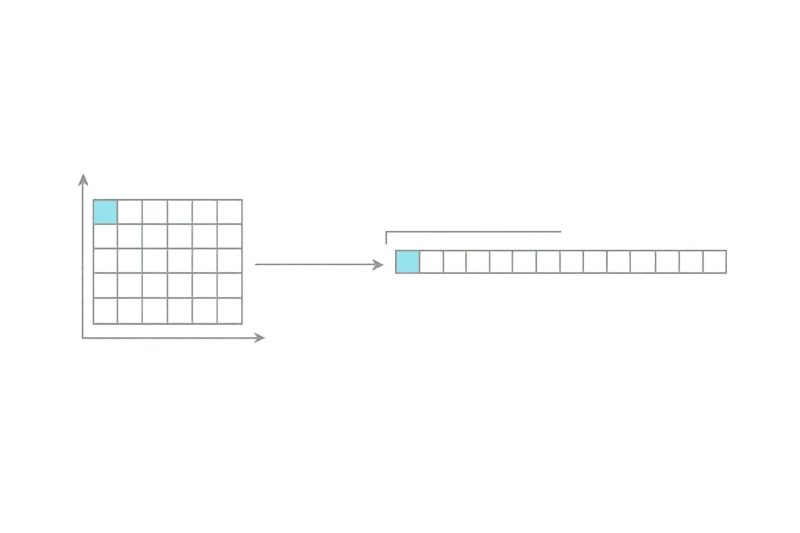
Image prompt
Minimal technical diagram on a transparent background. Left side: a 6 by 4 grid of squares with the top-left cell highlighted in cyan, an x-axis arrow pointing right along the top edge and a y-axis arrow pointing down along the left edge, both thin 1.5px strokes. Right side: a single horizontal strip of 24 small squares representing the same grid flattened into one dimension, with a bracket marking the first row of 6. A thin curved connector links the highlighted cell to the first square of the strip. Monochrome grey with one cyan accent, no text, flat vector, generous negative space, 16:9.
Value ranges
Intensities are written in the unit interval when the mathematics is being discussed, and in the storage range when code is being discussed. The two are related by a scale factor and a rounding rule, and the rounding rule is where precision is lost.
| Depth | Storage range | Unit interval | Typical use |
|---|---|---|---|
| 8-bit | 0 to 255 | value / 255 | Display, most web formats. |
| 10-bit | 0 to 1023 | value / 1023 | HDR video, some camera pipelines. |
| 16-bit | 0 to 65535 | value / 65535 | Scanning, medical, intermediate buffers. |
| Float32 | Unbounded | Direct | Linear light, shader work, accumulation. |
Conversions between rows are lossy in one direction only. Widening is safe, narrowing is not.
Code conventions
Samples are plain JavaScript with typed arrays. They favour clarity over speed, and they do not guard against every degenerate input. Where a sample would be misleading if used directly, a note says so.
// Naive per-pixel loop over an interleaved RGBA buffer.
function forEachPixel(data, width, height, fn) {
	for (let y = 0; y < height; y++) {
		for (let x = 0; x < width; x++) {
			const i = (y * width + x) * 4;
			fn(i, x, y);
		}
	}
}
That is the whole agreement. Module 01 begins with the sensor.